
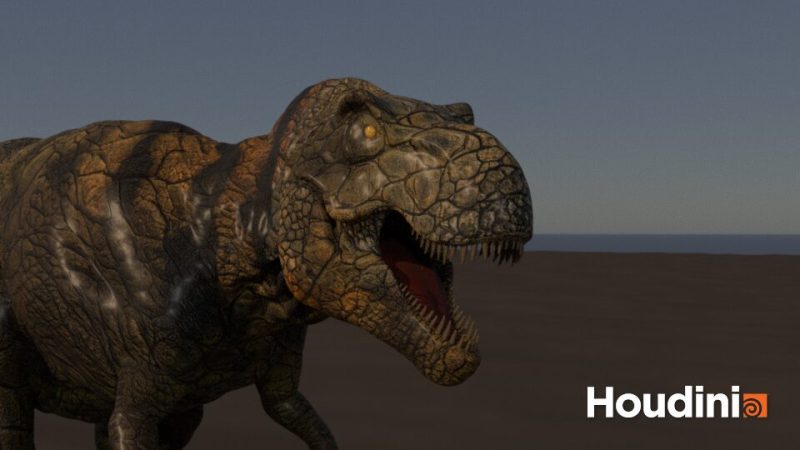
GPU muscles in Houdini 22Otis vs. Vellum
We gave one Tyrannosaurus the same skeleton, the same muscles and the same walk cycle – and ran it through Houdini 22’s GPU solver Otis and the legacy Vellum muscle system. The look, the workflow and everything it takes to make a multi-tonne animal move like one. Otis solved the same walk about six times faster.
The production-ready creature FX asset behind this article.
A creature is only as believable as what happens under its skin
You can animate a perfect walk cycle and still end up with a dinosaur that looks like an inflatable toy. What sells weight is the secondary motion: the thigh bulging as the leg drives back, the belly lagging behind the hips, skin sliding over a working muscle instead of stretching with the bone.
For years the reference for that was Ziva VFX, and its absence left a real gap in creature pipelines. Houdini’s answer is Otis, SideFX’s solver that moves muscle and tissue onto the GPU. The question for a production is not whether it is faster than the old Vellum workflow – it is how much faster on a real creature, and what changes in the result.
Two ways to build muscles in Houdini 22
| System | Runs on | What it is |
|---|---|---|
| Vellum Muscles | GPU (OpenCL) + CPU | The original Houdini muscle system, now officially the legacy workflow. The Vellum constraint solve runs through OpenCL – on the GPU by default – while setup, collisions and the muscle and tissue logic around it also use the CPU. Muscles, tissue and skin are solved in separate passes, each one feeding the next. |
| Otis (SideFX) | GPU | Introduced in Houdini 21. A GPU-accelerated, FEM-quality soft-body solver built on Vertex Block Descent. Muscles, fascia and tissue simulate together in a single pass. Not available in Houdini Core. |
Both systems use the graphics card, so this is not a CPU-versus-GPU race. The structural difference: Vellum solves muscles, tissue and skin one after another, so every change upstream means re-simulating the passes below it. Otis solves all layers together in a single pass and uses an FEM-like material model instead of Vellum’s position-based constraints.
Otis grows up: sliding tissue and better damping
Houdini 21 introduced Otis; Houdini 22 fixes most of what creature TDs asked for in the first round:
- Sliding tissue. Tissue Solidify Otis can now build the outer Tissue Shell (formerly Tissue Solid) and the core as separate tet meshes, and the Otis solver supports sliding constraints between them. That is the skin-over-muscle slide you previously had to fake.
- GPU or CPU topology updates. A new Update Sliding Topology option lets you choose between a faster GPU update and a more accurate CPU one.
- Velocity blending on Otis Configure Muscle and Tissue keeps muscles and tissue from lagging behind fast-moving bones – exactly what you need on a dinosaur’s foot strike.
- “Constraints Only” damping. A more realistic damping model that does not eat your overall velocities (it needs much higher, Vellum-like damping ratios).
- DOP Dive target for POP forces such as wind or drag, plus custom VEX or OpenCL inside the solve.
- Skin Deform can now slide on the full-resolution skin, so you keep scales and wrinkles while the skin moves.
One T. rex, two muscle systems
To keep the comparison fair, both systems get identical input: the same skeleton, the same sculpted muscle shapes, the same skin and the same animation. Only the solver changes.
- Creature – adult Tyrannosaurus, modelled at real-world scale in metres
- Anatomy – 40 muscles per side (80 in total), fascia, tissue and skin layer; the muscles alone are around 70,000 simulation points
- Animation – a keyframed walk cycle with a 24-frame preroll from rest pose
- Length – 240 frames at 24 fps; Otis at 40 substeps
- Hardware – AMD Threadripper PRO 3975WX (32 cores) · NVIDIA RTX 5090
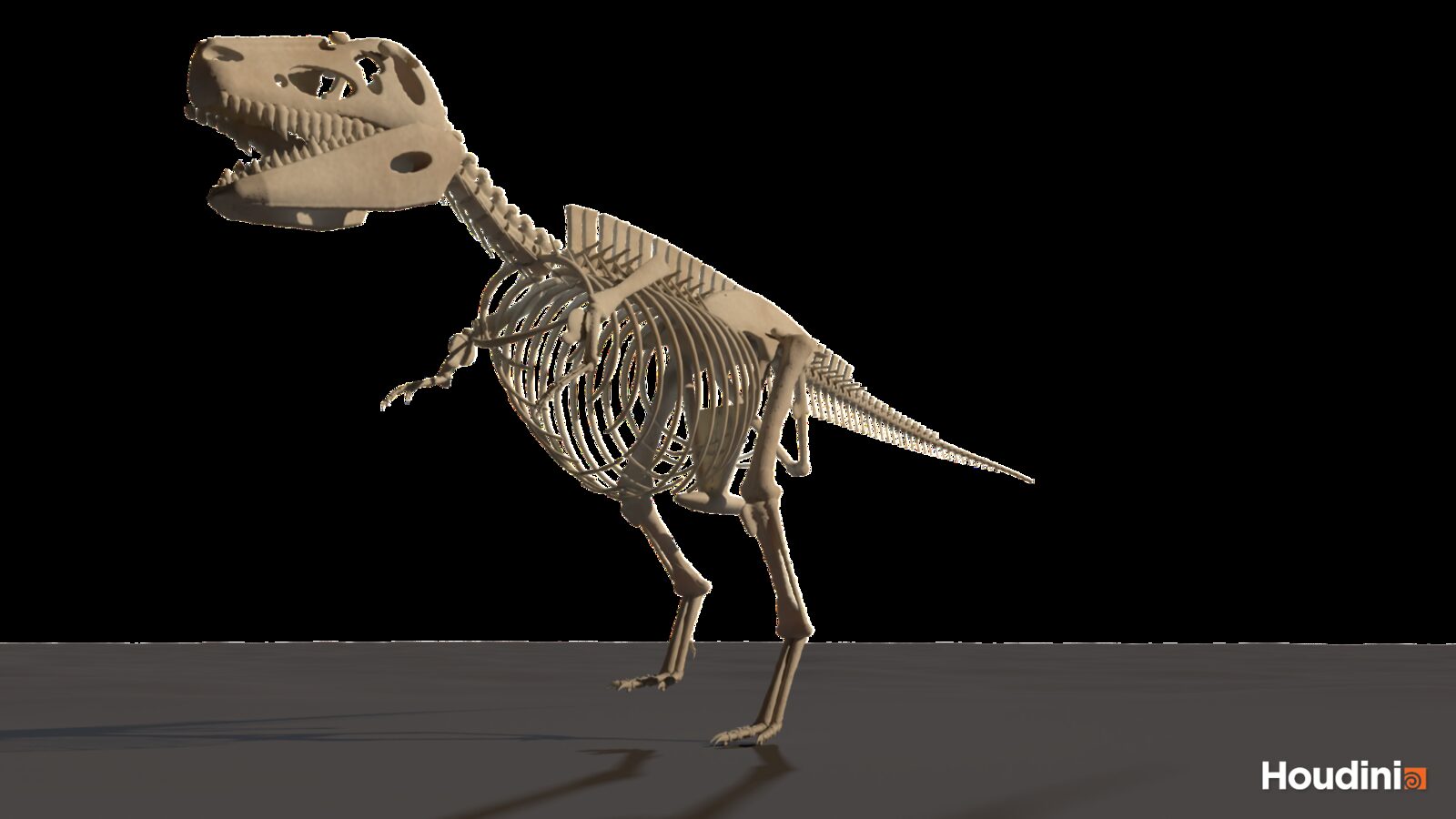
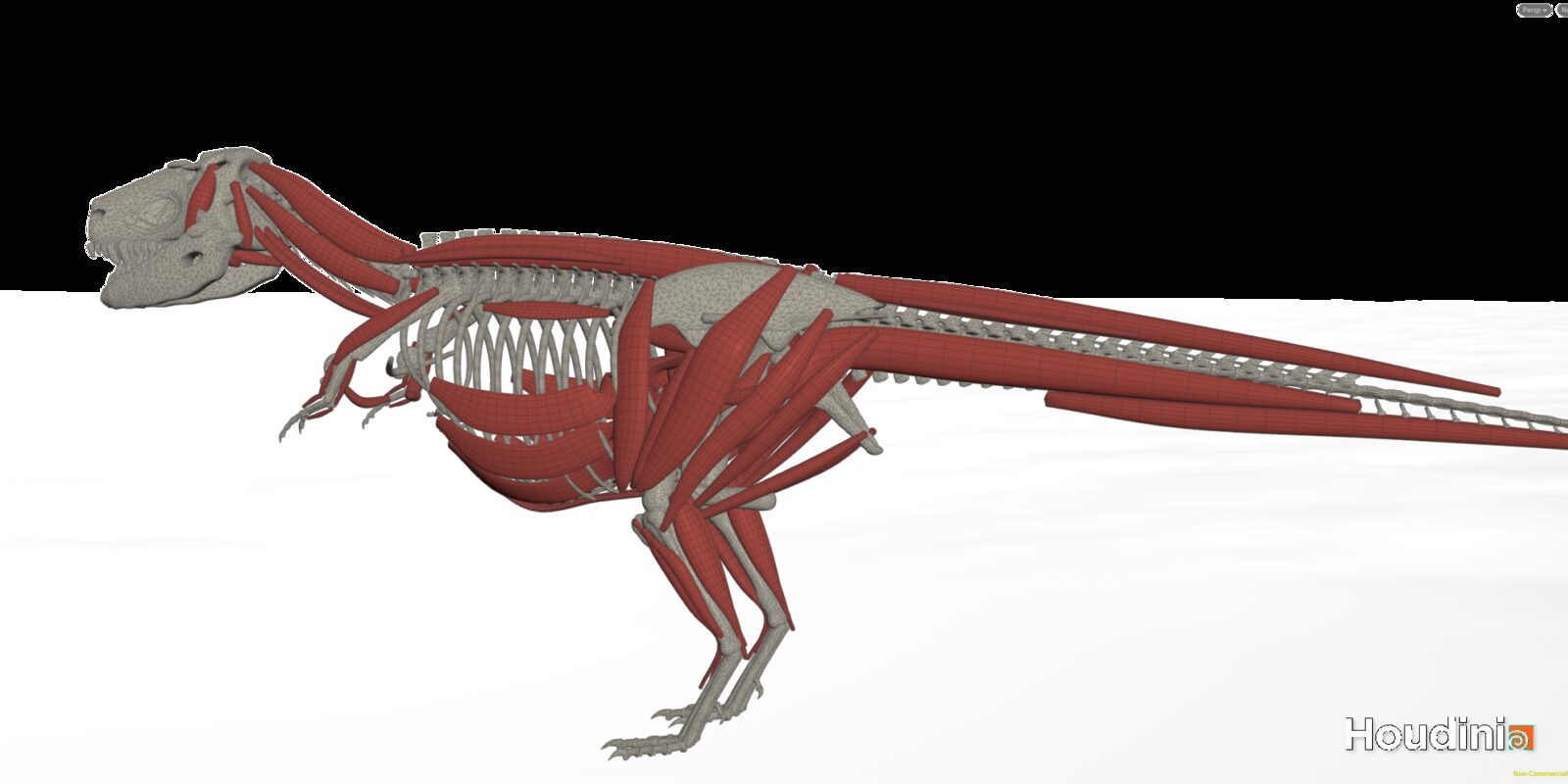
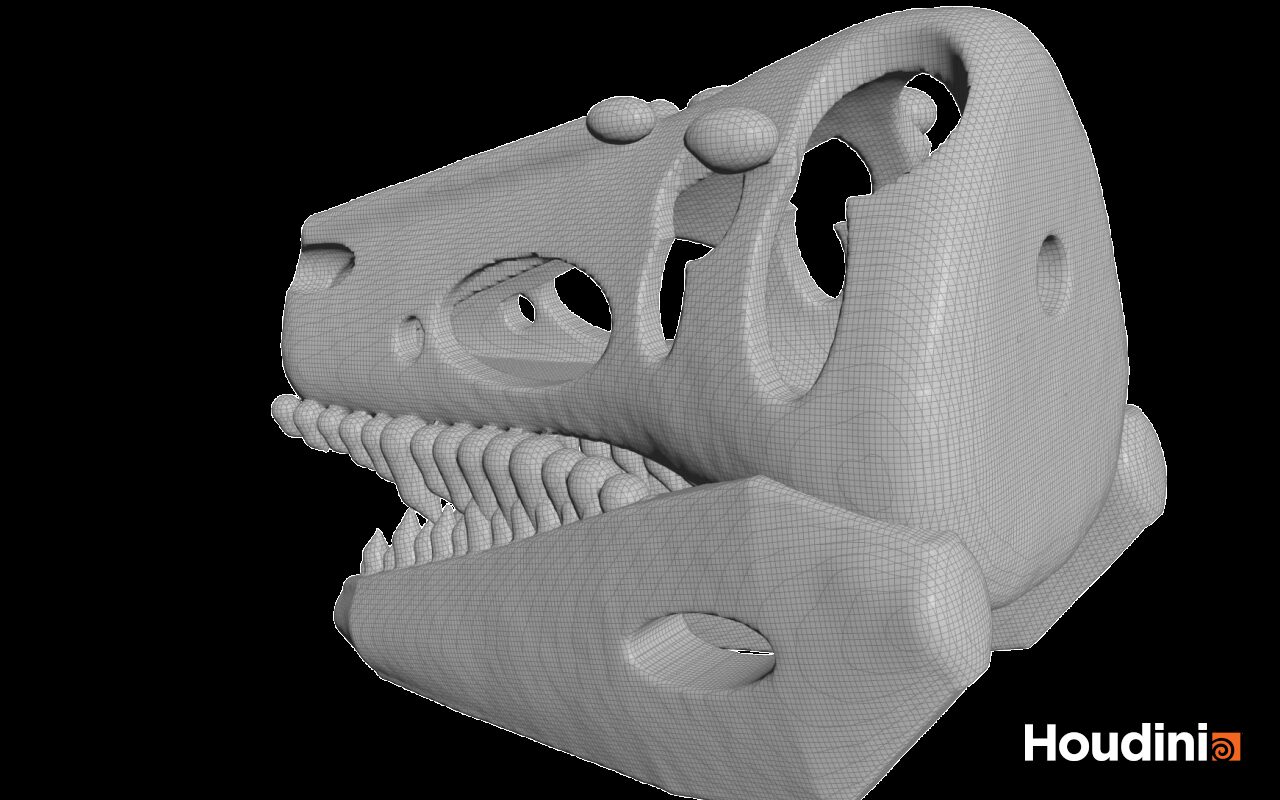
48 frames: about 7 minutes vs. 41 minutes
Same muscles, same bones, same walk, same machine. We simulated frames −24 to 23 (24 frames of preroll from the rest pose, then the walk) and timed every frame inside Houdini. Averages below are for the walking frames 1–23.
| System | Per frame | Notes |
|---|---|---|
| Vellum | ≈ 51.9 s | Two passes timed: muscle pass ≈ 0.4 s, tissue pass ≈ 51.5 s per frame. The tissue pass is the bottleneck. A skin pass would come on top. |
| Otis · GPU | ≈ 9.0 s | Muscles and tissue in a single pass, about 178,000 simulation points. 48 frames in 7.1 minutes. |
Run the Otis test once without the GPU as well. SideFX staff put the expected CPU penalty at about 8–10× slower, and some users have reported much bigger gaps. If your render farm has no GPUs, that number decides whether Otis is an option for you at all.
Same walk, different animal
Speed is half the story. When you compare the two takes, look at the moments where muscle simulation earns its cost:
- Heel strike. Does the thigh and calf mass shake on impact and settle, or does it ring like jelly?
- Leg drive. Can you see the base of the tail bulge as the leg retracts? That is the caudofemoralis firing (more in section 07).
- Belly and throat. Soft tissue should lag the skeleton by a few frames and come to rest without bouncing forever.
- Skin slide. Over the hip and knee the skin should move across the muscle, not stretch with it. Watch the scale texture.
Side-by-side frames from both solvers at these moments will be added with the benchmark update.
What the simulation adds
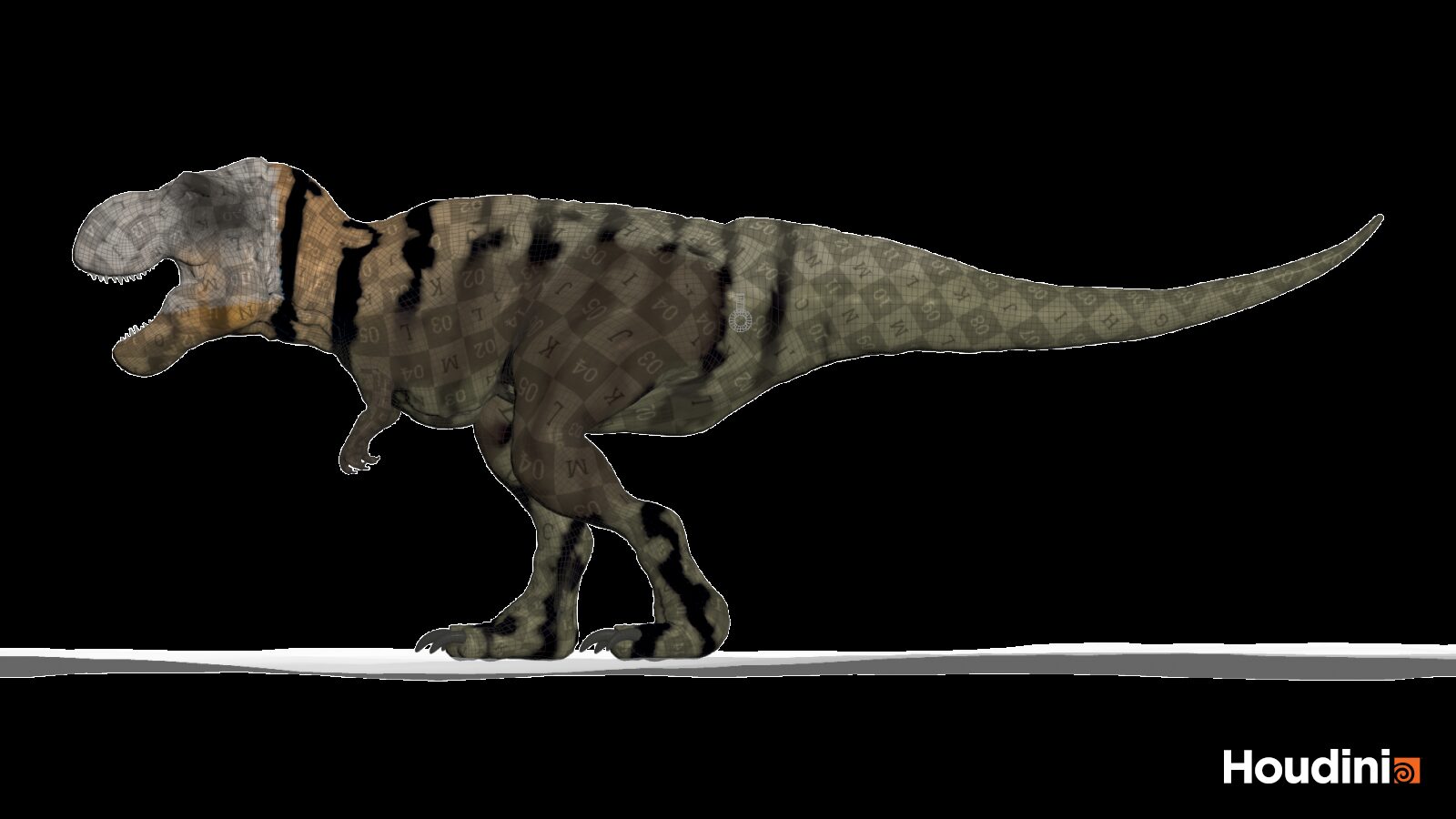
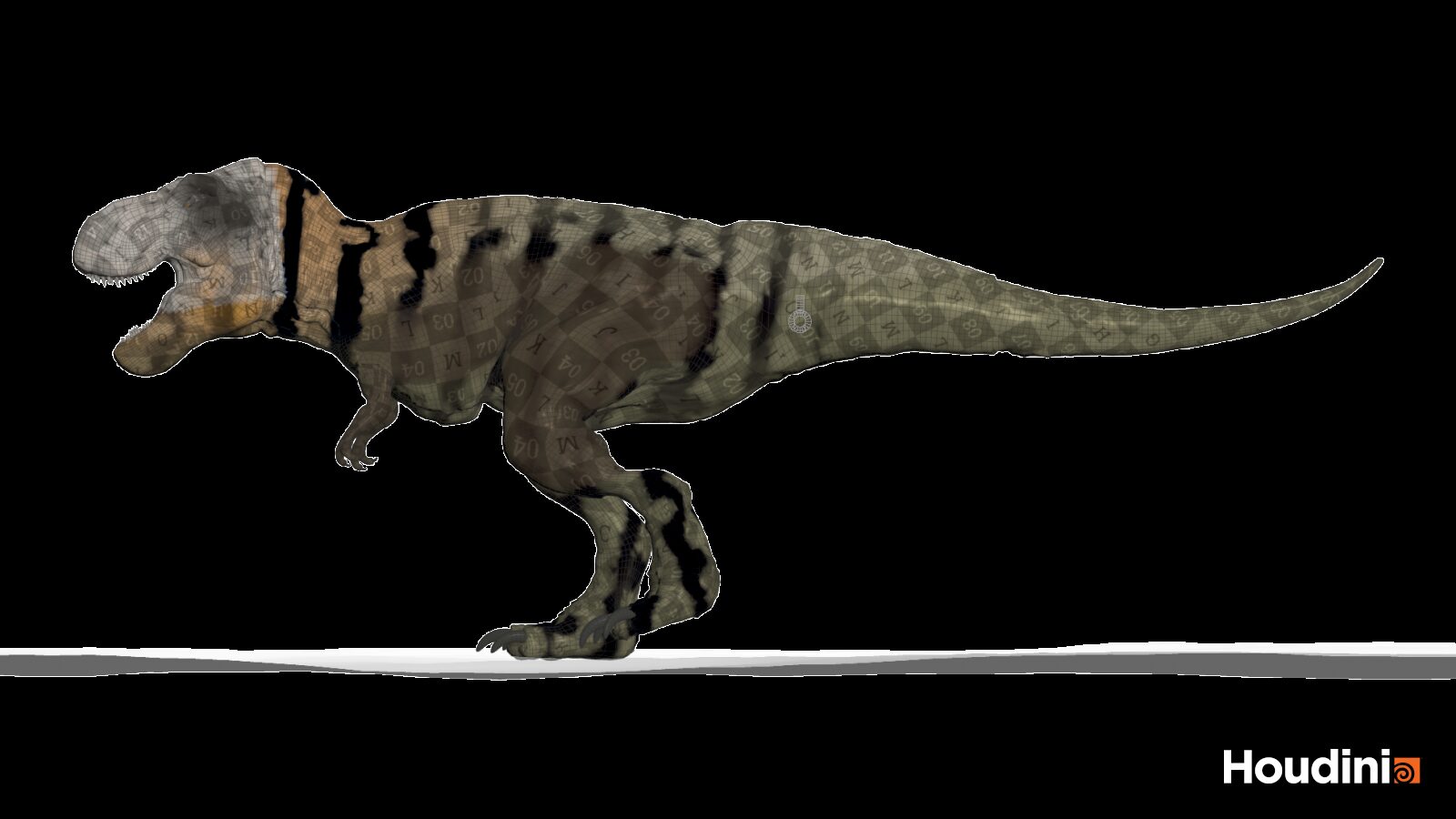
Before any muscle solver: this is what a quick secondary-motion pass on the skin alone looks like, compared with skin that only follows the bones. It adds life, but it cannot show muscles firing underneath – that is what the Otis pass above does.
What actually makes a T. rex move like a T. rex
No muscle solver fixes wrong anatomy. A dinosaur is not a big lizard and not a big chicken, and most CG dinosaurs look wrong for the same three reasons.
1 · The tail is an engine, not a counterweight
The biggest locomotor muscle of a theropod sits in its tail. The M. caudofemoralis runs from the tail vertebrae to the femur and is the primary hind-limb retractor: when it contracts, it pulls the thigh back and drives the step. Persons and Currie (2011) showed that this muscle was exceptionally large in non-avian theropods, and estimated that earlier reconstructions had underestimated the tail muscle mass of T. rex by up to 45 %.
For your rig that means: give the base of the tail real volume, groom the caudofemoralis fibres from the tail towards the femur, and activate it in sync with the stance phase. That single muscle is where most of the visible “power” in a walk comes from.
2 · Big animals walk slowly – and their tails swing
Van Bijlert, van Soest and Schulp (2021) modelled the tail of the T. rex “Trix” as a ligament-suspended spring and arrived at a natural frequency of about 0.66 Hz and a preferred walking speed of roughly 1.28 m/s – about 4.6 km/h, close to a human stroll. If your animator’s walk is much faster than that, the muscles will look busy but the animal will look small. Match the step rhythm to the tail swing and the secondary motion suddenly reads as mass.
3 · Real scale, real mass
Every muscle system in Houdini assumes metres. Build the skeleton and muscles at real size and give tissue a realistic density – a creature modelled at 1/100 scale simulates like a toy, no matter how good the solver is.
T. rex in 2026: what the science says now
A century after it was named, Tyrannosaurus rex is still changing shape in the literature – and every new paper is a note for the creature department. Here is the current state of research, and what each finding means for your build.
It took four decades to grow up
A 2026 study of 17 specimens – the largest histology dataset for the species so far – found that T. rex reached its full size of around eight tonnes at about 40, some 15 years later than earlier estimates. Hidden growth rings, visible only under polarised light, made the difference. Co-author Jack Horner now puts the lifespan at roughly 45 to 50 years.
For your creature: a 20-year-old rex is a teenager, not a scaled-down adult. Build age variants as their own anatomy.
Growth was flexible
The same study found that the spacing of growth rings varied within individual animals: some years they barely grew, other years a lot. Lead author Holly Woodward reads this as a flexible growth pattern that helped the animals survive lean times.
For your creature: no two rexes need the same proportions or fat layer – vary tissue thickness between hero and background animals.
Some “teen rexes” were not T. rex at all
In late 2025, Lindsay Zanno and James Napoli argued in Nature that Nanotyrannus was a separate, fully grown tyrannosaur, not a juvenile T. rex – and they named the famous “Jane” skeleton as a second species, Nanotyrannus lethaeus. Not every palaeontologist agrees yet, but it means two tyrants shared the last million years of the Cretaceous in Hell Creek.
For your creature: check your reference. Slender “young rex” skeletons may belong to a different animal.
It had lips
A 2023 study in Science concluded that theropods such as T. rex had scaly, lizard-like lips that covered their teeth when the mouth was closed – more Komodo dragon than crocodile. Tooth wear, skull foramina and tooth-to-skull ratios all point the same way.
For your creature: lips are soft tissue. Give them their own tissue layer in the sim, and they will compress and stretch when the jaw opens.
A bone-crushing bite
Erickson and Gignac modelled the bite at around 8,000 pounds of force – more than twice the strongest bite measured in living crocodiles – with tooth-tip pressures of about 431,000 psi. That let T. rex pulverise bone, something reptiles normally cannot do.
For your creature: that force comes from huge jaw-closing muscles behind the eyes. Expect visible bulging at the back of the skull on every bite.
Last of its kind
T. rex lived in western North America at the very end of the Cretaceous, until the asteroid impact on the Yucatán Peninsula 66 million years ago – a warm, humid world of conifers, ferns and flowering plants along rivers and coastal plains.
For your creature: warm and wet means wet skin, mud and specular highlights – plan for it in lookdev.
Step by step: a dinosaur in Otis
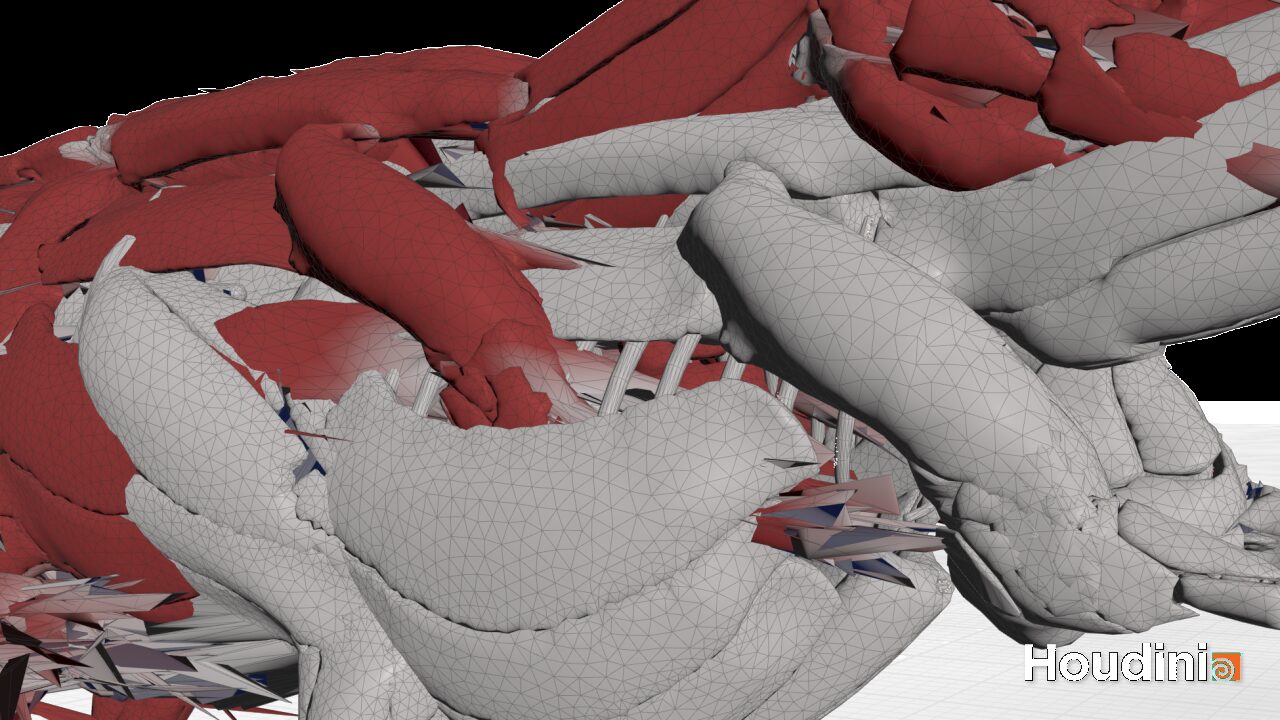
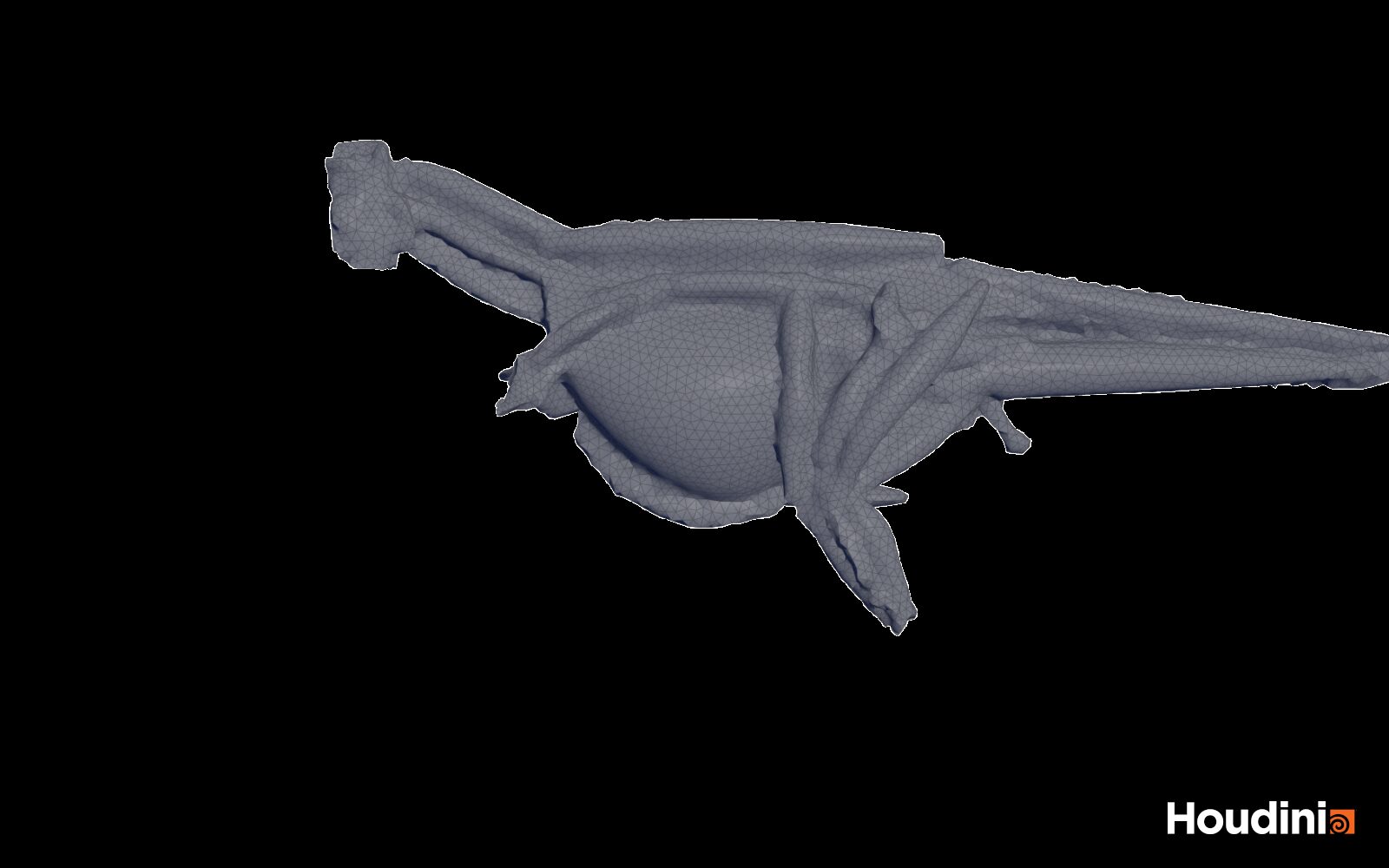
Start from the generic Otis Muscle and Tissue Simulation recipe (Tab menu → Character FX → Muscles) rather than the Otto recipes – it is meant for custom, non-humanoid anatomy.
- Prepare geometry. Real-world scale, triangulated bones, every muscle a closed mesh with a
muscle_id. Run Muscle Deintersect as a first pass – Otis tolerates intersections, but clean input simulates better. - Solidify and groom. Convert muscles to tets and paint fibre directions. On the tail, fibres run lengthwise towards the femur.
- Assign properties. Muscle Properties Otis for stiffness and tendon regions, Muscle Constraint Properties Otis for muscle ends and glue.
- Activation. Muscle Auto Tension Lines builds tension lines for you; drive them with Muscle Tension Lines Activate and Muscle Flex, keyed to the gait.
- Tissue. Tissue Solidify Otis with the new Separated Shell and Core (Sliding) method, then set the Shell to Core sliding constraints in Tissue Properties Otis.
- Configure. Otis Configure Muscle and Tissue – turn on Velocity Blending for the legs and head.
- Solve. Otis Solver with Constraints Only damping. Check the
tiny_tetsgroup first – very small tetrahedra cost stability. - Skin. Skin Deform with Slide on Full Resolution Skin to keep scales crisp.
A simple way to tie activation to the animation is to measure how fast the femur swings back and use that as a 0–1 curve:
// inside a Solver SOP, Detail Wrangle
// input 0: previous frame · input 1: animated skeleton (femur as named curve)
int    pr    = nametoprim(1, "femur_L");
vector a     = primuv(1, "P", pr, {0, 0, 0});
vector b     = primuv(1, "P", pr, {1, 0, 0});
vector dir   = normalize(b - a);
vector prev  = detail(0, "femur_dir_prev");
if (length(prev) < 0.5) prev = dir;              // first frame
float  swing = degrees(acos(clamp(dot(dir, prev), -1, 1))) * 24.0;  // deg/s at 24 fps
f@caudofemoralis_L = smooth(5.0, 60.0, swing);    // 0–1, reference it in Muscle Flex
v@femur_dir_prev   = dir;
Adapt names and thresholds to your rig. This measures swing speed in both directions – gate it with the stance phase if you only want the power stroke.
What tripped us up
- Wrong scale. The single most common reason a creature sim looks wrong. Check the skeleton height in metres before anything else.
- Overshoot on fast motion. Muscles that keep swinging after a head shake usually need velocity blending and more damping – not stiffer muscles.
- No GPU on the farm. Otis falls back to the CPU, and gets much slower. Plan your farm before you plan your show.
- Skin fit at rest. Check that the skin sits cleanly on the tissue at the first frame before you judge the simulation – errors at rest only get bigger in motion.
- Licences. Otis is not available in Houdini Core – there you are limited to the Vellum workflow.
The plugin we left out – for now
AdonisFX by Inbibo is the other serious candidate for creature muscles in Houdini. Since version 2.0 it runs natively as SOP nodes, with a layered stack of solvers for muscle, glue, fascia, fat and skin that updates live while you scrub, and setups that move between Maya and Houdini.
At the time of writing there is no AdonisFX build for Houdini 22, so we left it out rather than compare it across two Houdini versions. We will add it to this benchmark as soon as a Houdini 22 version is available.
Our recommendation
| If you need … | Use | Why |
|---|---|---|
| Fast iteration, full creatures | Otis | GPU speed, one pass for muscles and tissue, built into Houdini FX and Indie at no extra cost. |
| Existing setups, Houdini Core | Vellum | Mature, documented, works in Core – but slower and multi-pass. |
For a full creature like this T. rex we built the production setup in Otis: muscles, fascia and tissue in one pass, and Houdini 22’s sliding tissue on top. On this creature Otis was about six times faster than the Vellum muscle and tissue passes – the difference between iterating on a walk over a coffee and waiting most of an hour for every change.
The takeaway
- On our T. rex, Otis solved muscles and tissue in a single pass at about 9 seconds per frame – roughly 6× faster than the Vellum muscle and tissue passes on the same setup (about 52 seconds).
- The solver matters less than the anatomy: a big caudofemoralis, a slow walk and real scale do more for realism than any setting.
- With Houdini 22’s sliding tissue, Otis now covers the skin slide that used to need a separate pass.
From grey muscles to a rendered animal
Since this article first went live, the T. rex has moved on a lot. The skin is now textured and rendered in Karma, skull and jaw sit properly inside the skin, the walk has real weight transfer, and the jiggle is no longer one setting for the whole body. This is ongoing research and development, so the numbers below are working values, not final ones.
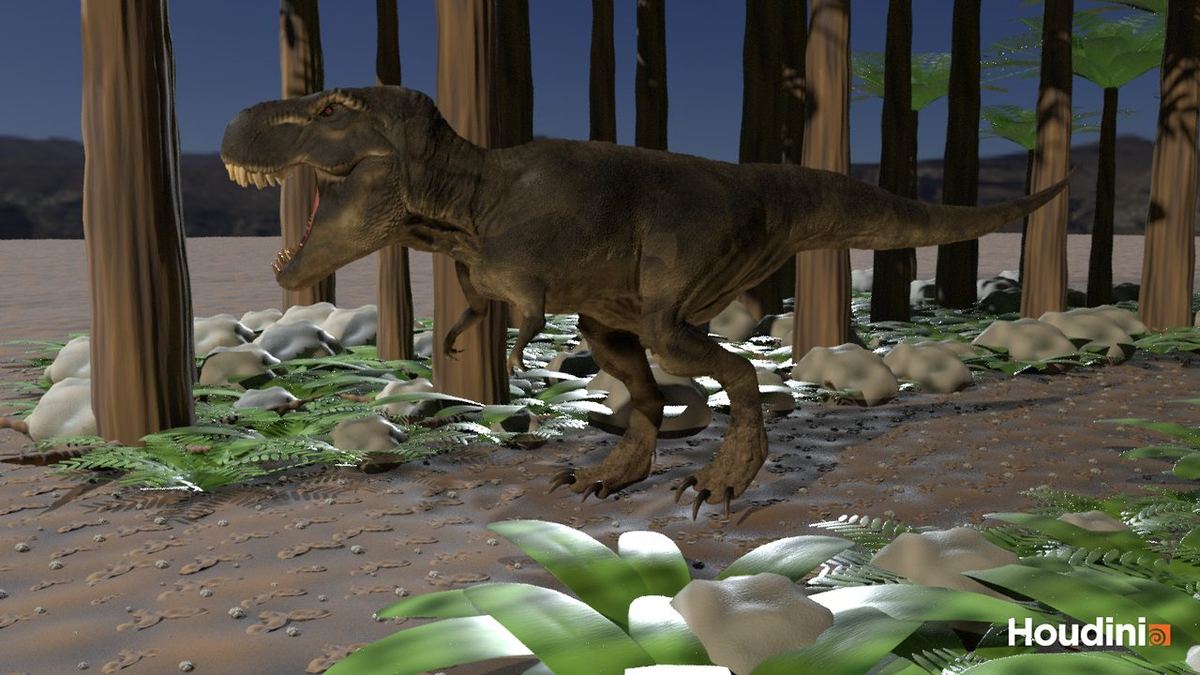
Skin and lookdev in Karma
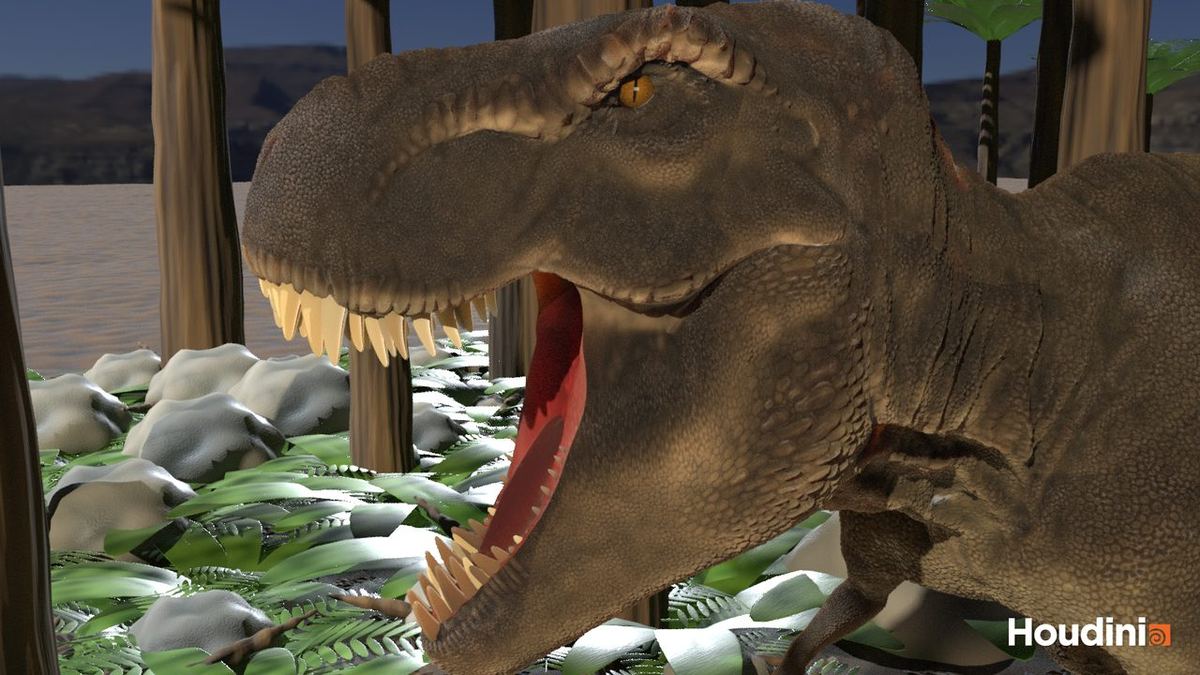
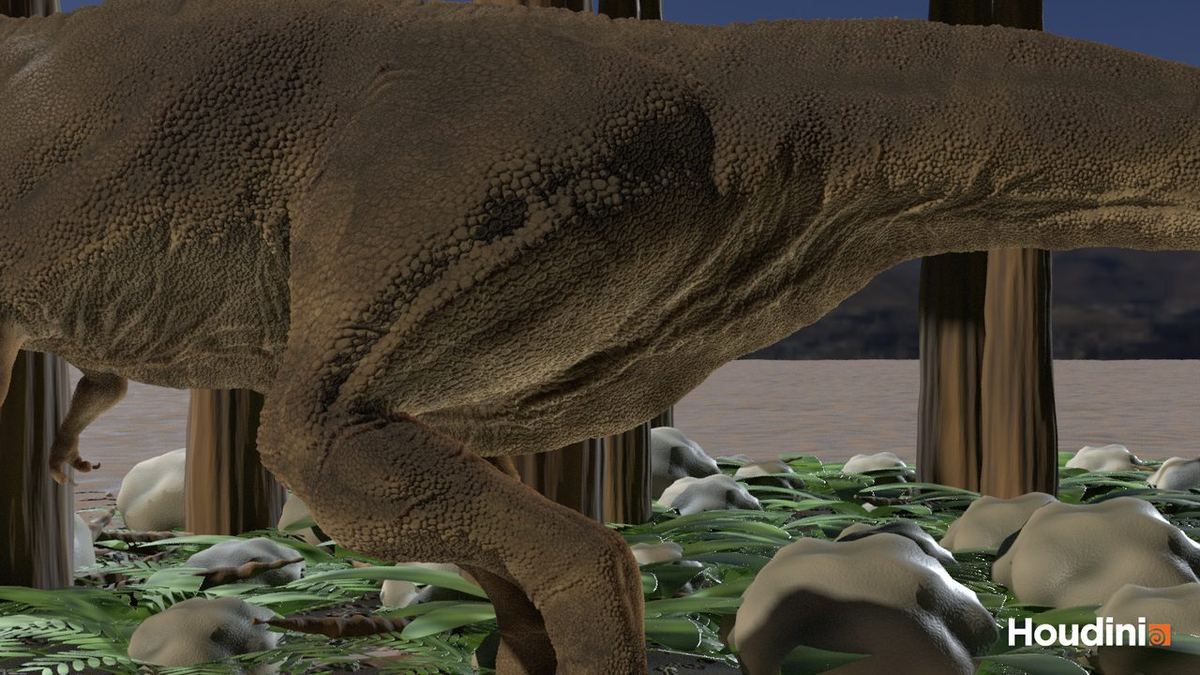
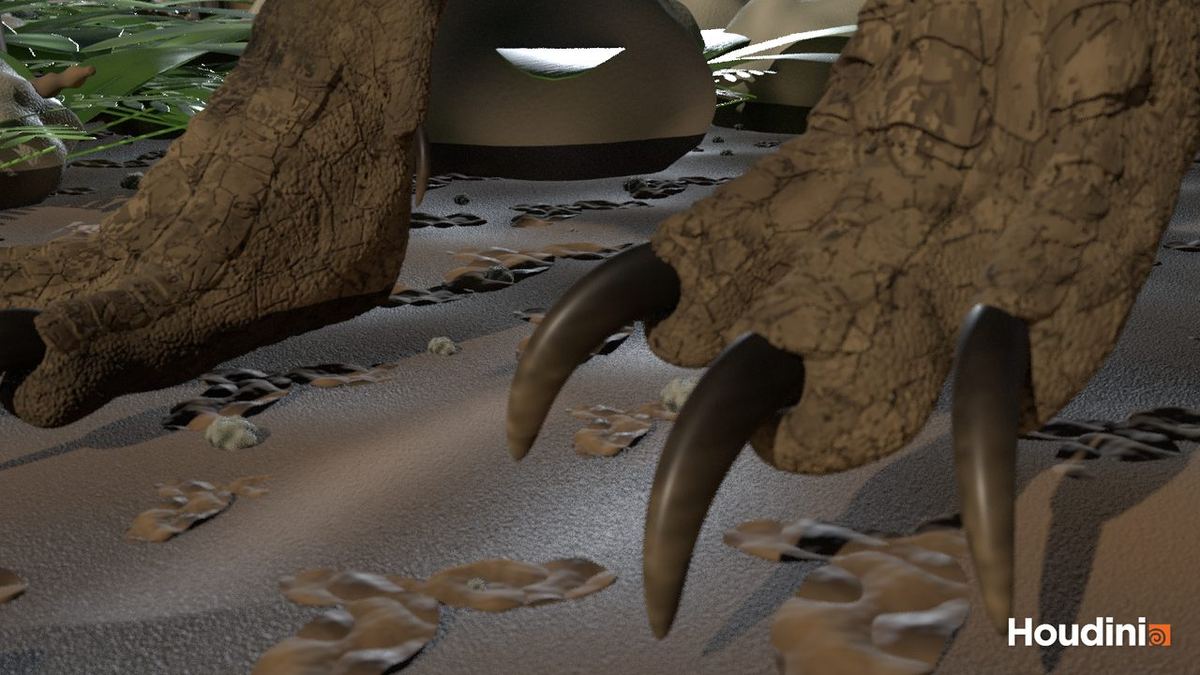
- Displacement from ZBrush, baked per UDIM. The sculpted scale detail is baked into five UDIM tiles (1001–1005) and drives displacement in Karma, so the scales deform with the simulated skin instead of sliding over it.
- Cavity bake for fine detail. A separate cavity map feeds a fine bump layer. It brings back the small creases between the scales that displacement alone smooths away.
- Leathery breakup and subsurface tint. Colour variation comes from the bakes, plus a warm SSS tint, so thin areas like the throat and lips read as tissue, not plastic.
- Mouth and jaw fix. The jaw weights were rebuilt and the mouth cavity now follows the jaw, so the inside of the mouth stays clean when the animal roars.
Anatomy: making the layers fit
Before any simulation can look right, every layer has to sit inside the next one. A script now checks this on several frames of the walk: how many points of fat, fascia, muscle and bone end up outside the layer that should contain them.
- Skull and jaw refit. Skull and jaw were scaled and moved to match the skin. Skull points outside the closed skin dropped from 21.5% to 8.5%, jaw points from 37.3% to 0%.
- Soft layers. Across the 240-frame walk, fat and fascia stay below 0.4% of points outside the skin, and muscle below 0.25% outside the fascia.
- Feet. New metatarsal bones give the foot a real structure, so the skin over the feet no longer folds where it shouldn’t.
Otis: check the tets before you solve
The most important lesson of this round: a few broken tetrahedra can ruin the whole solve. In one test the simulation ran cleanly for a few frames, then the entire tissue went to NaN in a single step. A review network now runs before every solve. It finds inverted and degenerate cells and compares several tet variants (conservative, refined, remeshed) side by side. Only a clean tet mesh goes into Otis, then at 40 substeps.
The walk: weight first, detail later
- Grey form review. The walk is judged on a plain grey clay render. Without texture the eye goes straight to silhouette, weight and muscle shapes.
- Foot contact check. A small rig check shows where the feet slide or float, so every plant stays on the ground.
- Weight transfer on the pelvis. On every step the pelvis drops slightly and shifts over the standing leg (working values: load drop 0.13, side shift 0.12). That small change turns a walk cycle into a heavy animal and matches the slow gait from section 07.
Regional muscle jiggle
One jiggle value for the whole body looks wrong: a T. rex thigh is firm, belly and throat are soft. The skin now follows the jiggling muscles underneath – strong where the fat is thin, fading with the distance to the muscle surface. On top of that, masks split the body into regions: a firm thigh region that follows the muscles closely, and a soft region (belly, throat) that follows with a short delay. A blend brings both together, with the soft region at 85%.
// skin follows the jiggling muscles underneath:
// strong where the fat is thin, fading with distance to the muscle surface
vector rp   = point(1, "P", @ptnum);            // rest position
float  fall = chf("../muscle_jig_falloff");
int    near[] = nearpoints(2, rp, fall * 3, 8);  // nearest muscle points
if (len(near) == 0) return;
vector o = 0; float ws = 0, dmin = 1e9;
foreach (int pt; near) {
    float d = distance(rp, point(2, "P", pt));
    float w = 1.0 / max(d, 0.005);
    o += point(3, "mjig", pt) * w; ws += w; dmin = min(dmin, d);
}
o = o / ws * exp(-dmin / fall);
@P += o * chf("../skin_follow_muscle");
What comes next
The full 240-frame render sequence in Karma, more detail in the jungle environment, and the Vellum take as a render, so the two solvers can finally be compared side by side in section 06.
- SideFX – Muscles and tissue overview and What’s new in Houdini 22: Muscles
- Inbibo – AdonisFX 2.0: Now with Houdini Support
- Woodward, Myhrvold & Horner (2026): Prolonged growth and extended subadult development in the Tyrannosaurus rex species complex, PeerJ 14: e20469
- Zanno & Napoli (2025): Nanotyrannus and Tyrannosaurus coexisted at the close of the Cretaceous, Nature
- Cullen et al. (2023): Theropod dinosaur facial reconstruction and the importance of soft tissues in paleobiology, Science 379: 1348–1352
- Gignac & Erickson (2017): The biomechanics behind extreme osteophagy in Tyrannosaurus rex, Scientific Reports
- Persons & Currie (2011): The Tail of Tyrannosaurus: Reassessing the Size and Locomotive Importance of the M. caudofemoralis in Non-Avian Theropods, The Anatomical Record
- van Bijlert, van Soest & Schulp (2021): Natural Frequency Method: estimating the preferred walking speed of Tyrannosaurus rex based on tail natural frequency, Royal Society Open Science
Creature FX for your production?
From muscle and tissue simulation to the final Karma render – we build creature effects for film, series and games and work remotely with studios worldwide.
Houdini, Otis and Karma are products of SideFX. AdonisFX and AdonisML are products of Inbibo Ltd. This article is independent and written by IDA VFX; we have no affiliation with either company.